
How to use the Help Desk
- Published on 26 June 2026
- | Updated on 24 Jul 2026
- | 1 min read
The Help Desk allows you to contact the Fintrix Markets Support Team, submit requests, and monitor the progress of your support tickets directly from the Client Portal.
1. Log in to your account
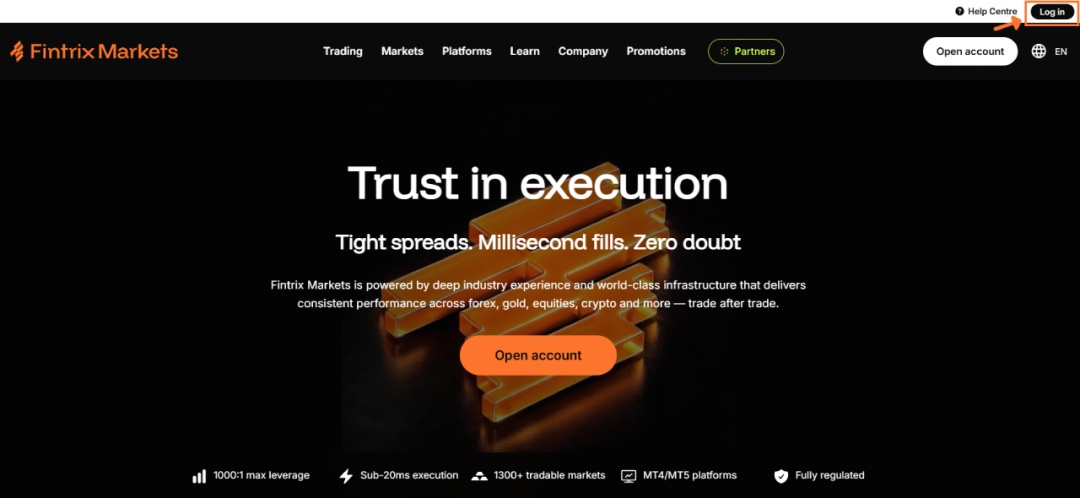
Visit the Fintrix Markets website and click Log in in the top-right corner of the page.
2. Open the Help Desk
Once logged in:
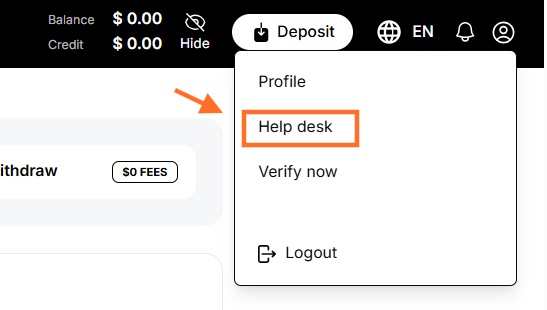
- Click the Profile icon in the top-right corner.
- Select Help desk from the dropdown menu.
3. Create a new support ticket
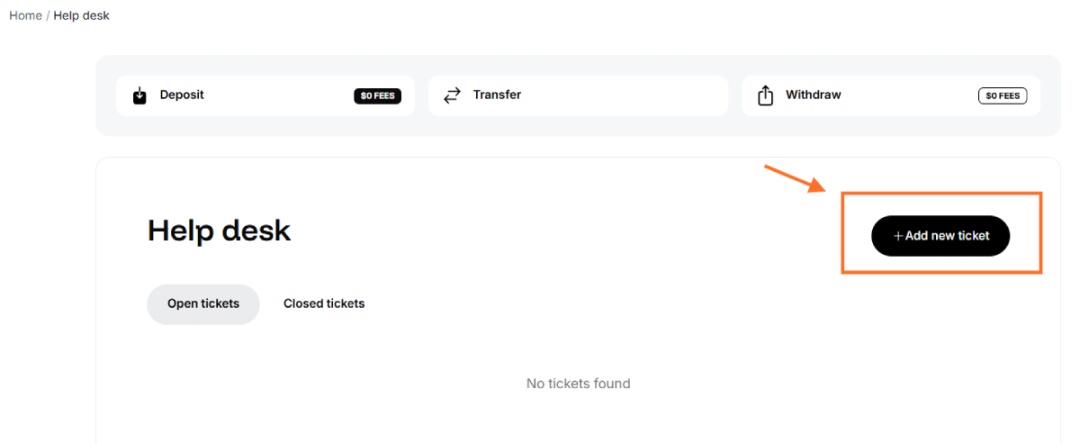
On the Help Desk page, click + Add new ticket.
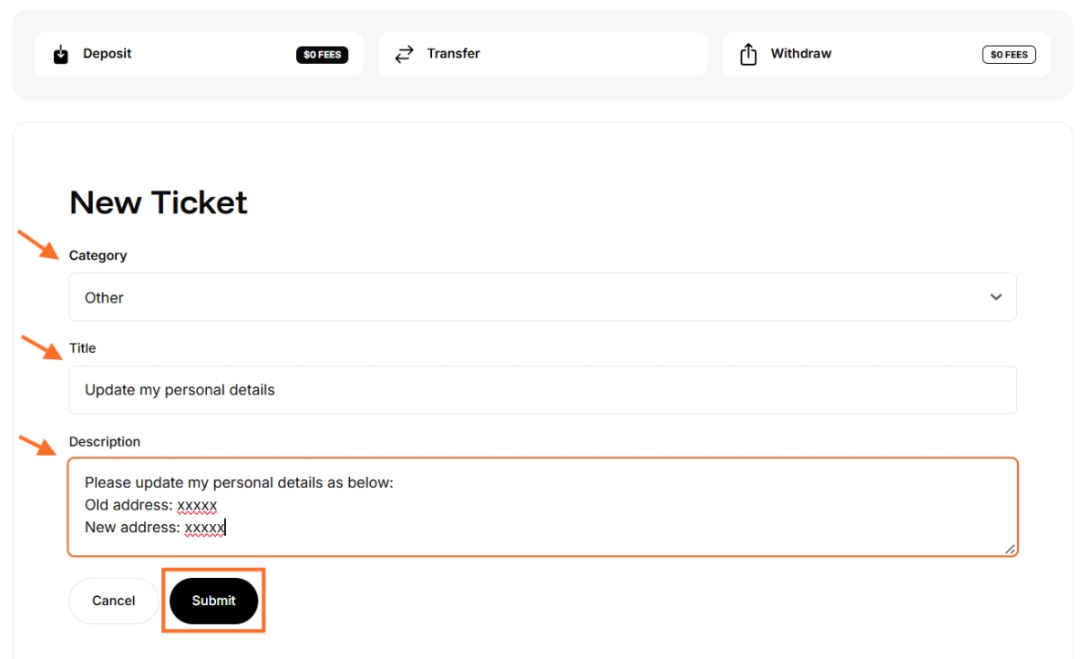
4. Complete your ticket
Fill in the required information:
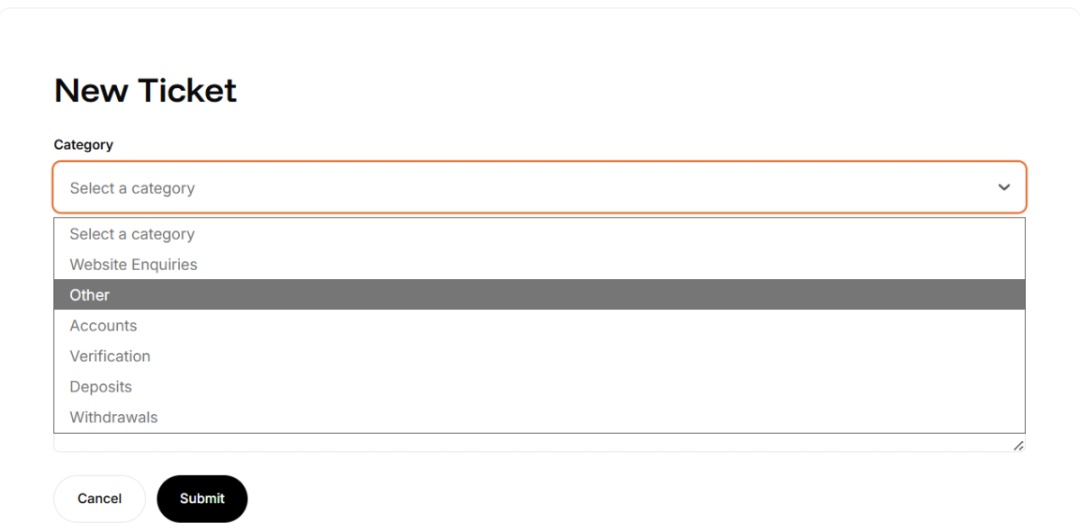
- Category – Select the category that best matches your enquiry (e.g. Verification, Deposits, Withdrawals, Accounts, or Other).
- Title – Enter a short summary of your request.
- Description – Provide as much detail as possible so our Support Team can assist you efficiently.
Once you have completed all the required fields, click Submit.
Tip: The more information you provide, the faster our team can understand and process your request.
5. Monitor your open tickets
After submitting your request, your ticket will appear under the Open tickets tab.
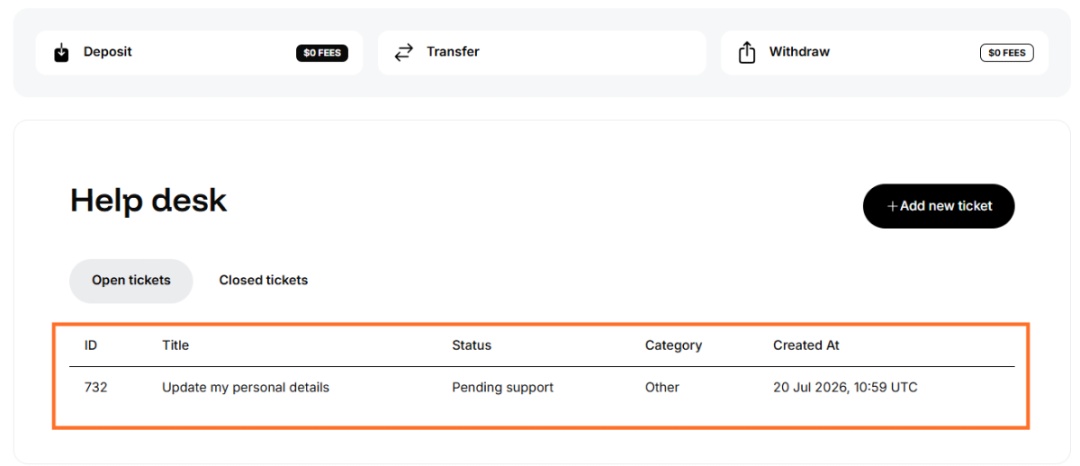
Here you can view:
- Ticket ID
- Title
- Current Status
- Category
- Date and Time Created
The ticket status will be updated as your request is being processed by our Support Team.
6. View your closed tickets
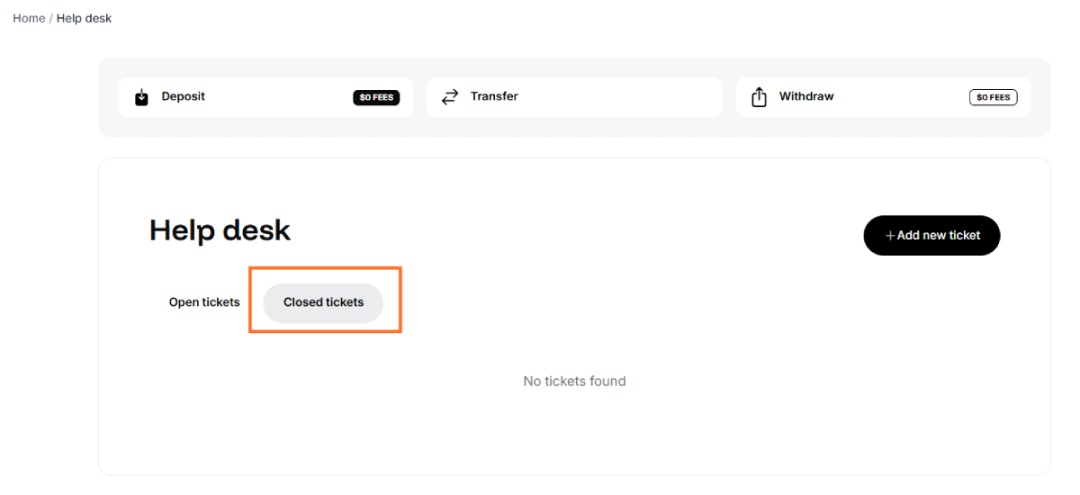
Once your request has been resolved, it will automatically move to the Closed tickets tab.
You can access this section at any time to review your previous support requests and their history.
Need assistance?
If you require immediate assistance or have questions about an existing ticket, you can also contact the Fintrix Markets Support Team via Live Chat or email us at support@fintrixmarkets.com.