
How to deposit on my Fintrix account
- Published on 22 June 2026
- | Updated on 24 Jul 2026
- | 1 min read
Follow the steps below to fund your Fintrix Markets trading account. Deposits are typically processed instantly or within a few minutes, depending on your chosen payment method.
1. Log in to the Client Portal
Log in to your Fintrix Markets Client Portal using your registered email address and password.

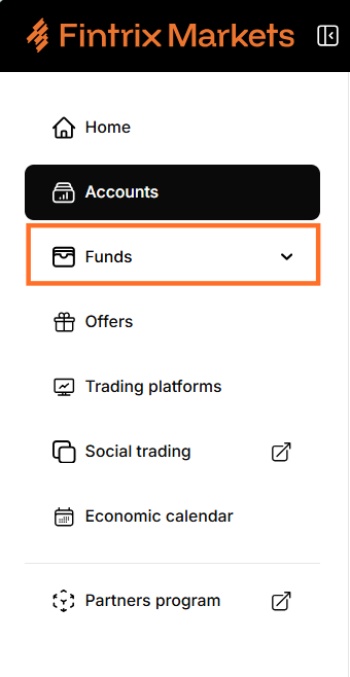
2. Navigate to Funds
From the left-hand menu, click on Funds.
3. Click Deposit Funds
Select Deposit Funds to begin the deposit process.

4. Select your payment method
Under Deposit From, select your preferred payment method.
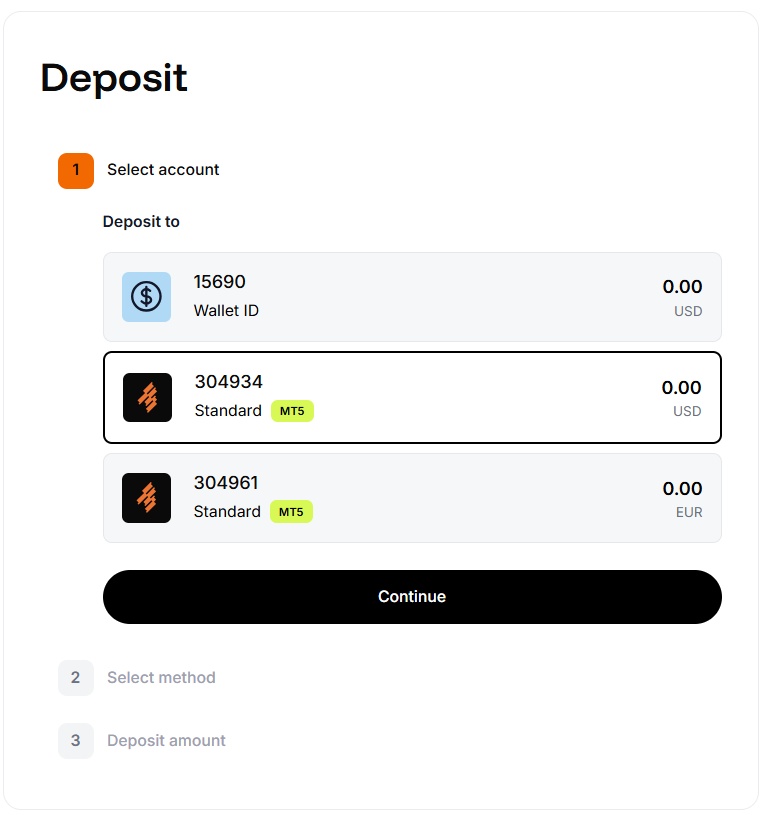
No trading account yet?
Click “Open a Trading Account“ and complete the setup before proceeding with a deposit.
5. Click Continue
Once you have selected your payment method, click Continue to proceed.
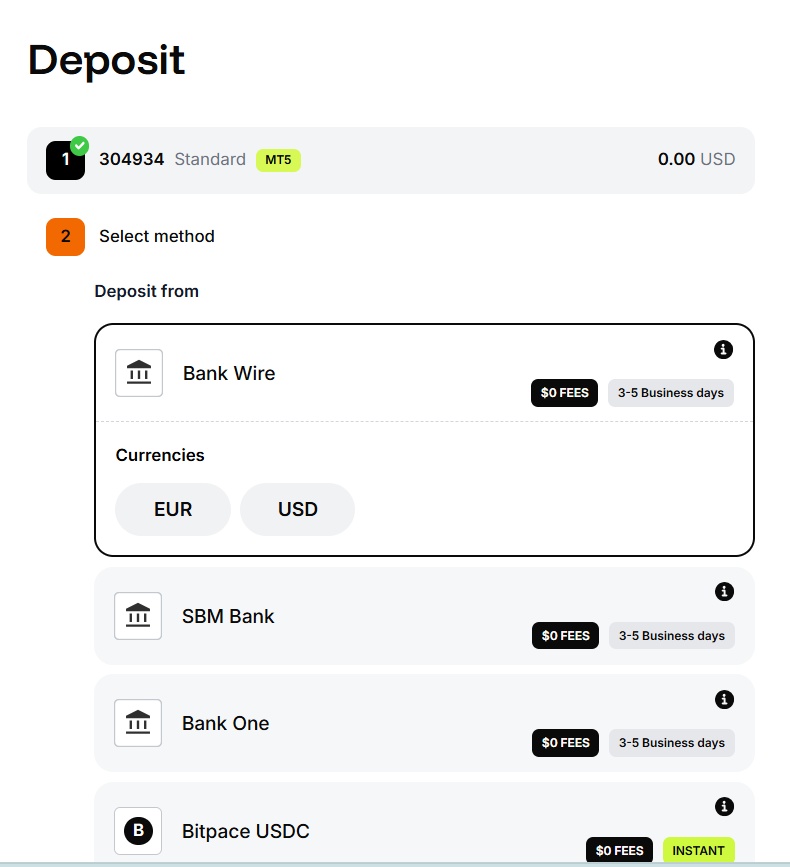
6. Enter your payment details and amount
Enter the required payment details and the amount you wish to deposit.
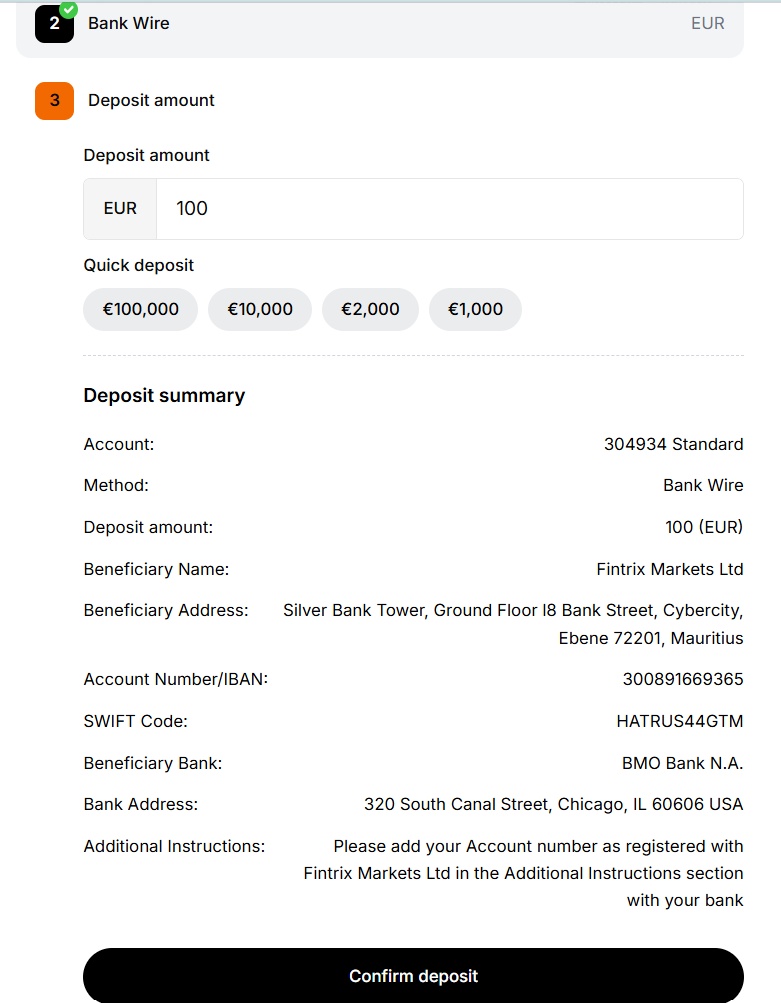
7. Review your deposit details
Review your deposit details on the Confirmation step to ensure everything is correct before proceeding.
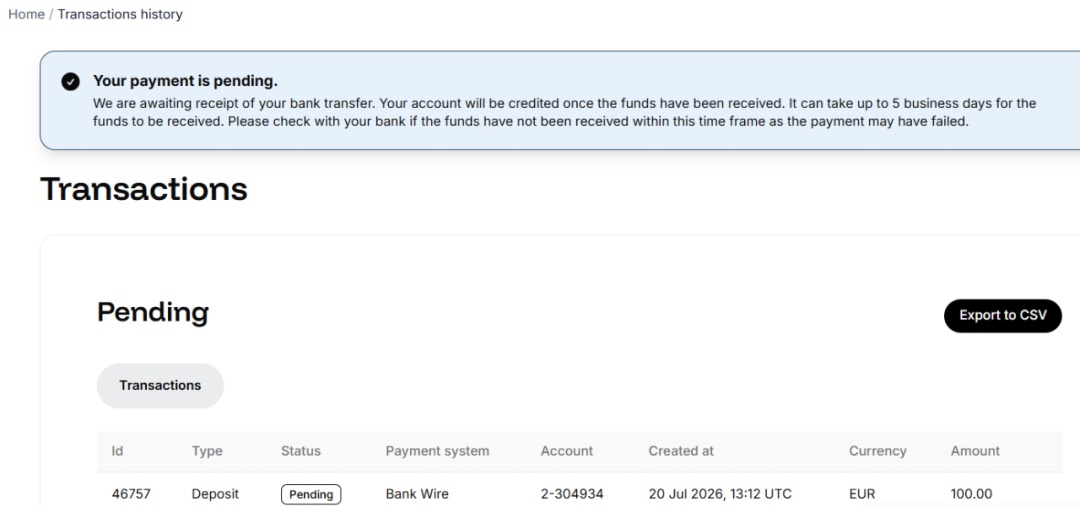
8. Submit your deposit request
Once confirmed, submit your deposit request. You will receive a confirmation notification once the deposit has been processed.
9. Deposit processing time
Deposits are typically processed instantly or within a few minutes, depending on the selected payment method.
If your deposit has not appeared after a few minutes, please contact our support team for assistance.