
How to open a live trading account
- Published on 26 June 2026
- | Updated on 24 Jul 2026
- | 2 min read
Opening a live trading account with Fintrix Markets only takes a few minutes. Follow the steps below to create your account and receive your trading credentials.
Before you begin:
Your Client Portal profile must be successfully verified before you can start using a live trading account.
1. Open the account registration page
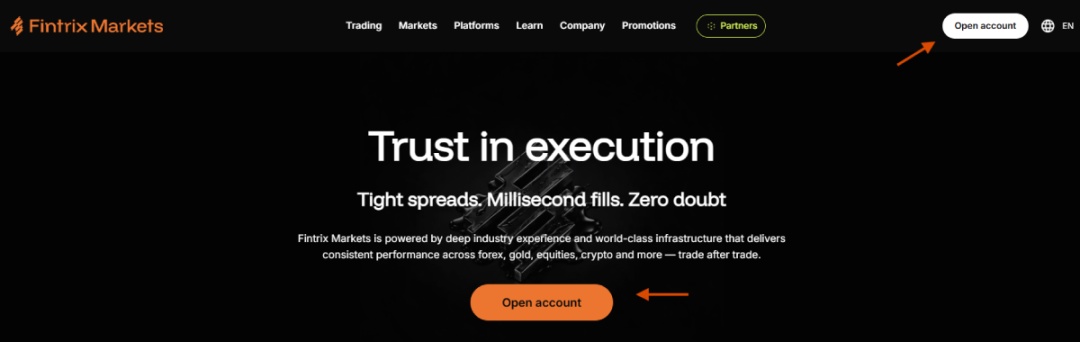
If you are a new client, click Open account on the Fintrix Markets homepage.
2. Select your profile type
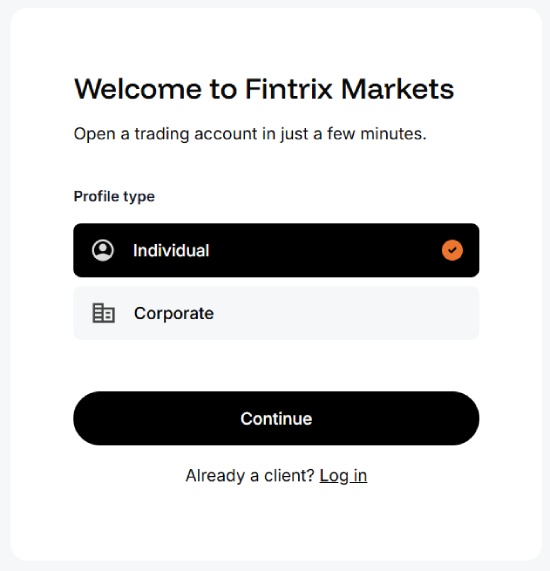
Choose the type of profile you would like to create:
- Individual
- Corporate
Click Continue to proceed.
3. Complete your account verification
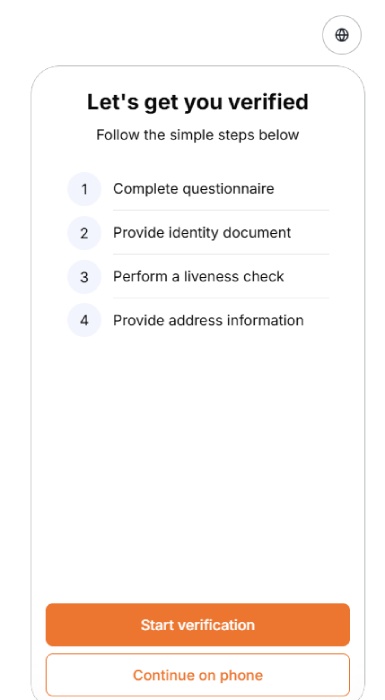
Before opening a live trading account, you must verify your identity.
Complete the following verification steps:
- Complete the questionnaire.
- Upload your identity document.
- Complete the liveness (selfie) check.
- Provide your proof of address (if required).
Once your profile has been successfully verified, you can proceed to open your live trading account.
4. Open the Accounts page
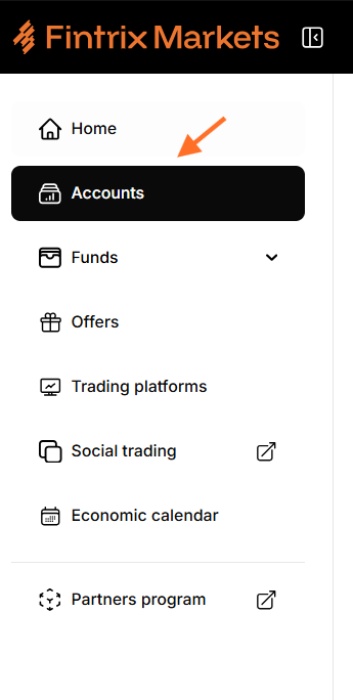
After logging into the Client Portal, navigate to Accounts from the left-hand menu.
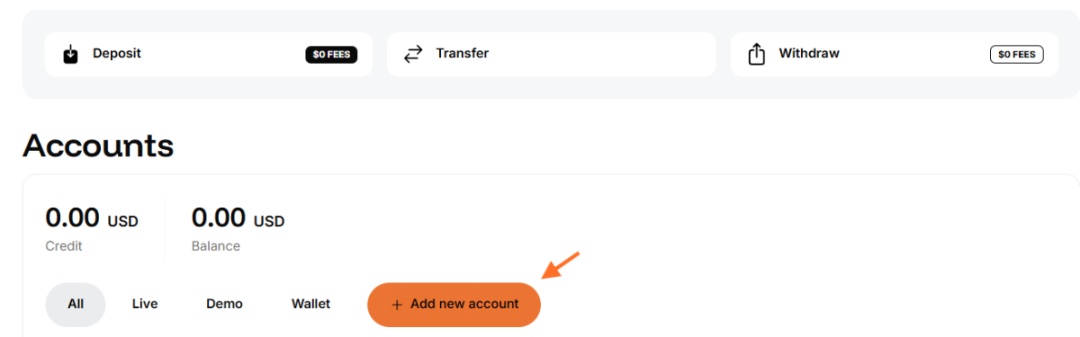
5. Add a new account
Click + Add new account.
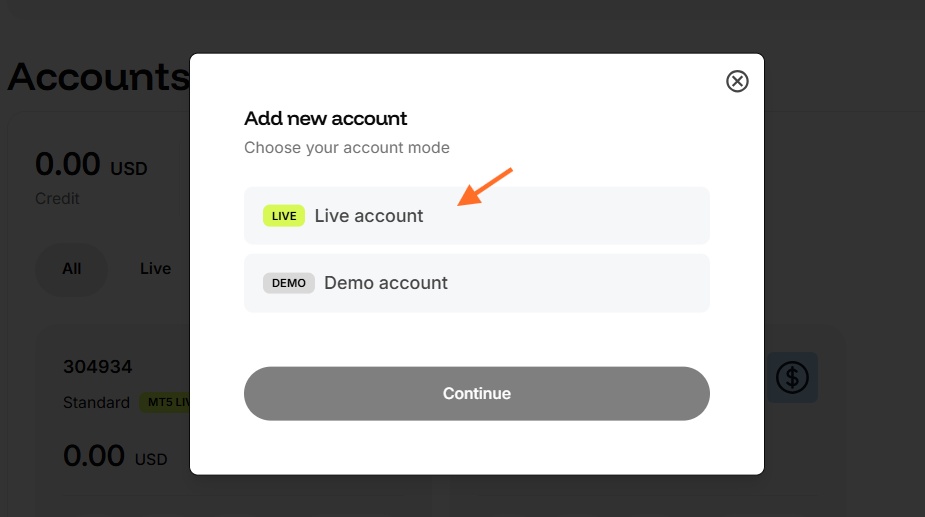
A window will appear asking you to choose the account mode.
Select Live account, then click Continue.
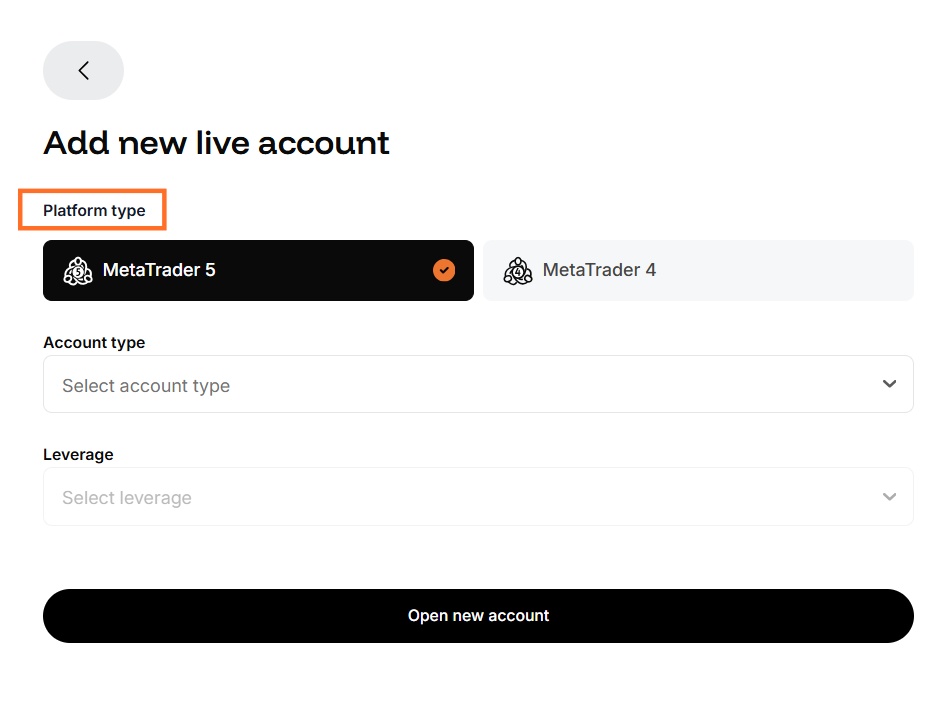
6. Select your trading platform
Choose your preferred trading platform:
- MetaTrader 5 (MT5)
- MetaTrader 4 (MT4)
7. Choose your account type
Select the trading account that best suits your needs.
Available account types may include:
- Standard Account
- Cent Account
- Zero Account
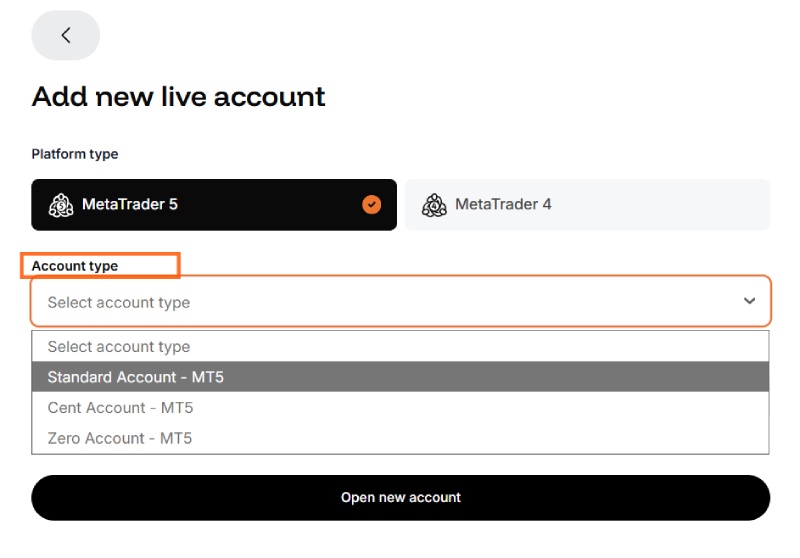
Note: Available account types may vary depending on the selected platform.
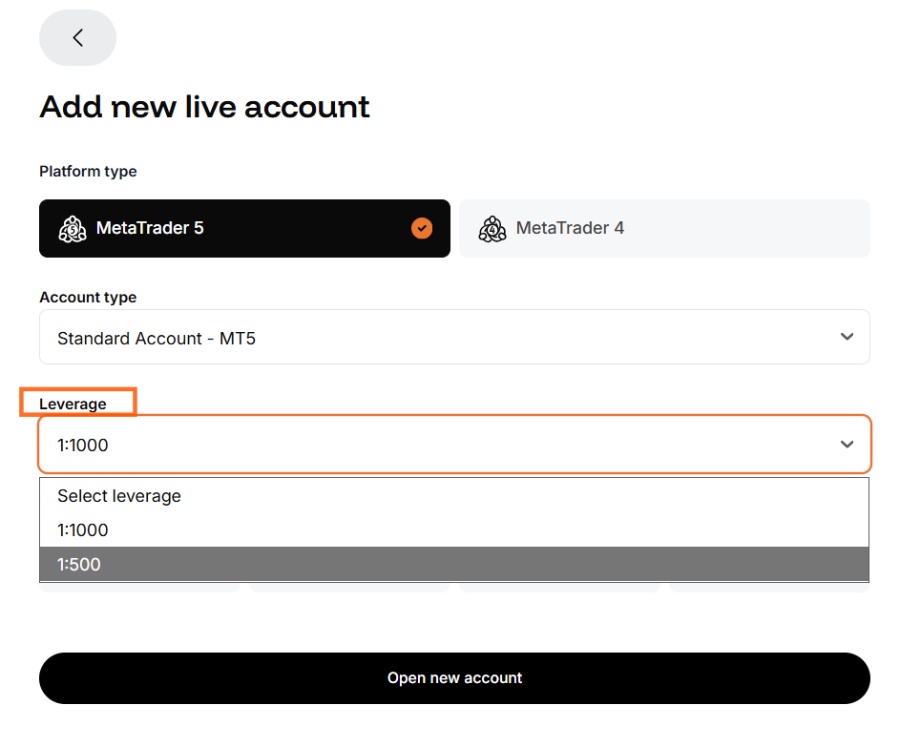
8. Select your leverage
Choose your preferred leverage from the available options.
For example:
- 1:500
- 1:1000
9. Select your account currency
Choose the base currency for your trading account.
Available currencies may include:
- USD
- EUR
- GBP
- AUD
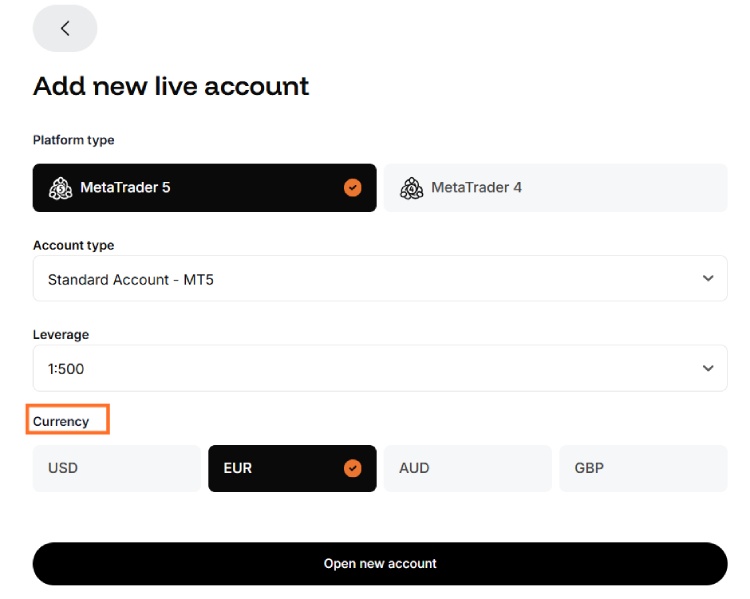
Important: Your account currency cannot be changed after the account has been created.
10. Create your account
After reviewing your selections, click Open new account.
Your live trading account will be created within a few moments.
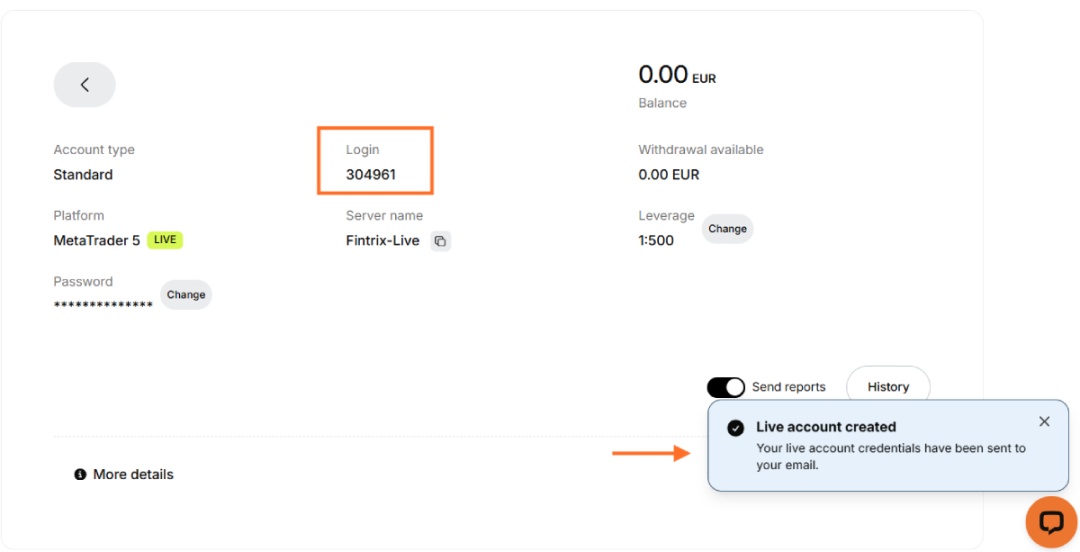
11. Confirmation
A confirmation message will appear informing you that your live trading account has been successfully created and that your login credentials have been sent to your registered email address.
You will also see your new account listed in the Accounts section, including your:
- Login number
- Server name
- Platform
- Account type
- Leverage
- Balance
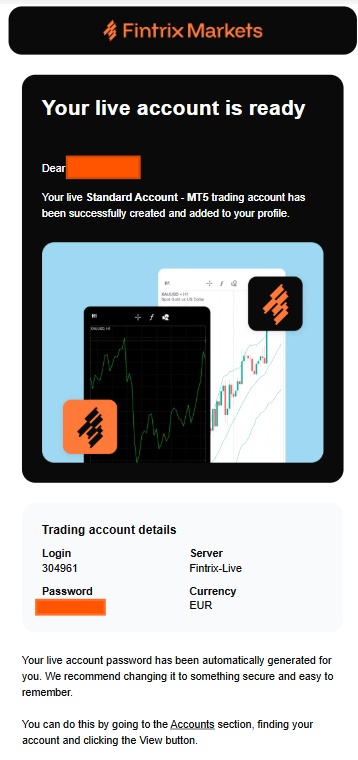
12. Check your email
You will receive an email containing your trading account details, including:
- Login ID
- Trading server
- Account currency
- Automatically generated password
Security Tip: Your trading password is generated automatically. We strongly recommend changing it to a secure password that is easy for you to remember before you begin trading.
You’re ready to trade!
Your live trading account has now been successfully created.
You can now:
- Deposit funds into your account.
- Download MetaTrader 4 or MetaTrader 5.
- Log in using the credentials sent to your email.
- Start trading with Fintrix Markets.
If you need assistance at any stage, please contact the Fintrix Markets Support Team via Live Chat or email us at support@fintrixmarkets.com.