How to log in to MT5 for clients in China
- Published on 29 July 2026
- | Updated on 12 Aug 2026
- | 2 min read
This guide is intended for Fintrix Markets clients based in mainland China. It walks you through logging in to MetaTrader 5 (MT5) on desktop and mobile, including how to select the China trading server for a stable and reliable trading experience.
Recommended for China-based clients
For the best trading experience, we recommend using the desktop version of MT5 when connecting via the China trading server, as it offers a more stable and consistent connection.
Log in to MT5 on desktop
Watch the video below for step-by-step instructions on logging in to MT5 on your desktop and selecting the China trading server.
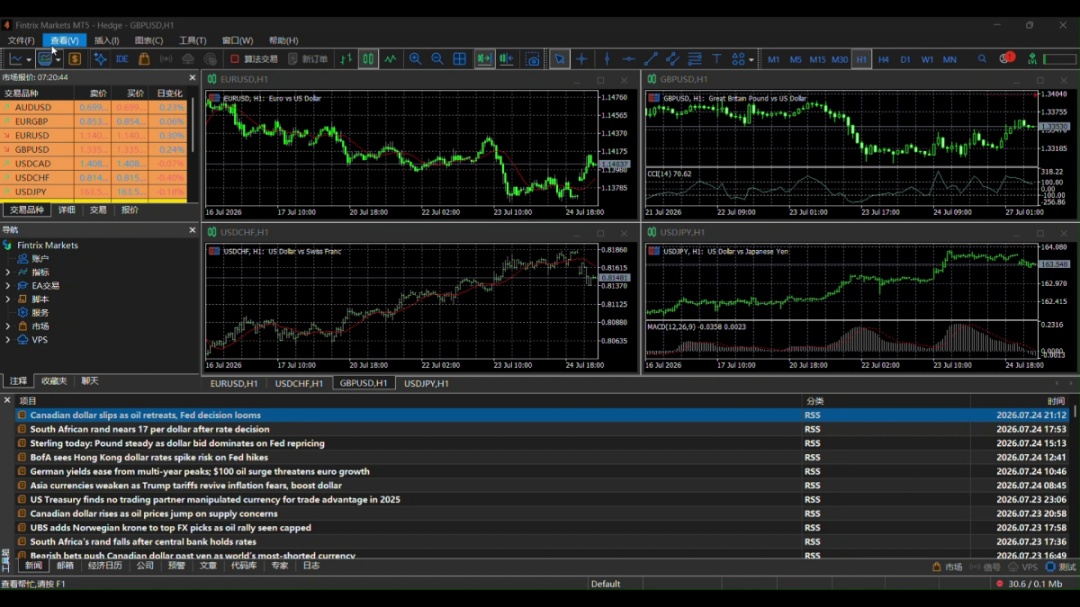
1. Open the MT5 platform
Open the MT5 platform on your device.
2. Go to Login
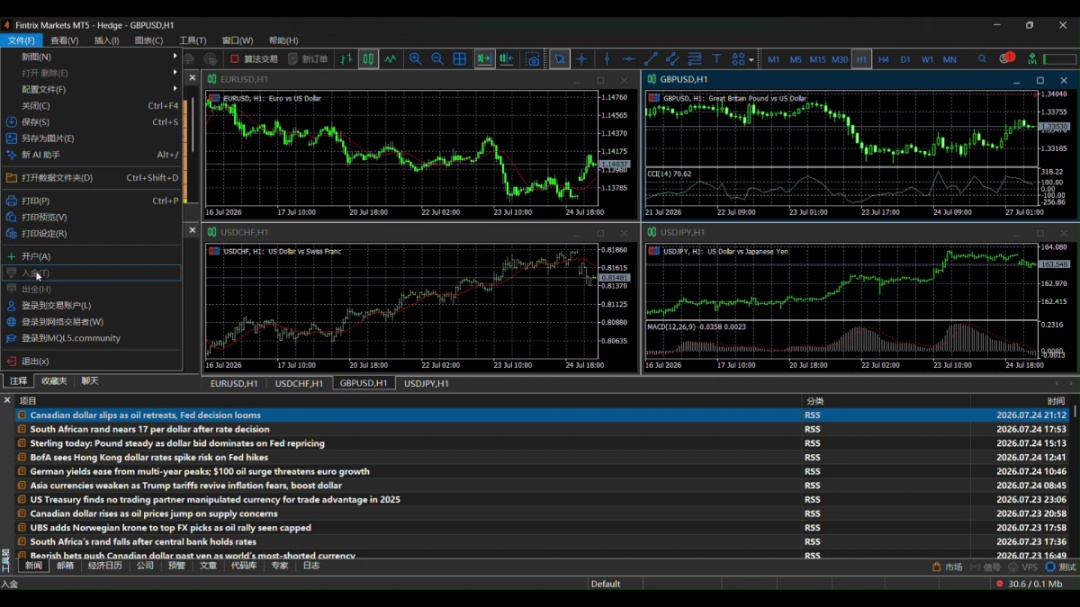
Click File → Login to Trade Account (on desktop).
3. Enter your credentials
Enter your Login ID, Password, and Server details provided in your Fintrix account email.
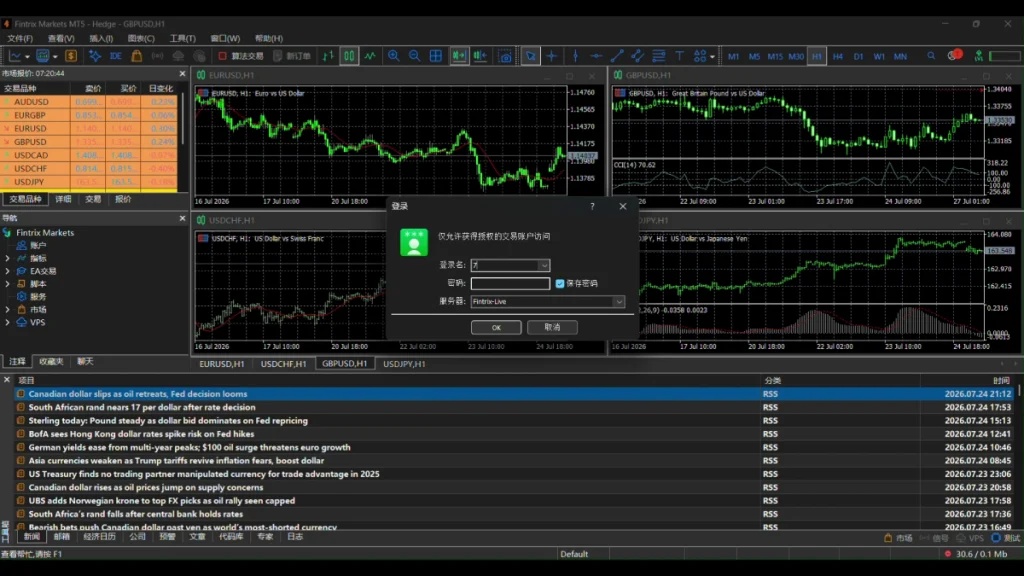
4. Click OK
Click the OK button to connect to your account.
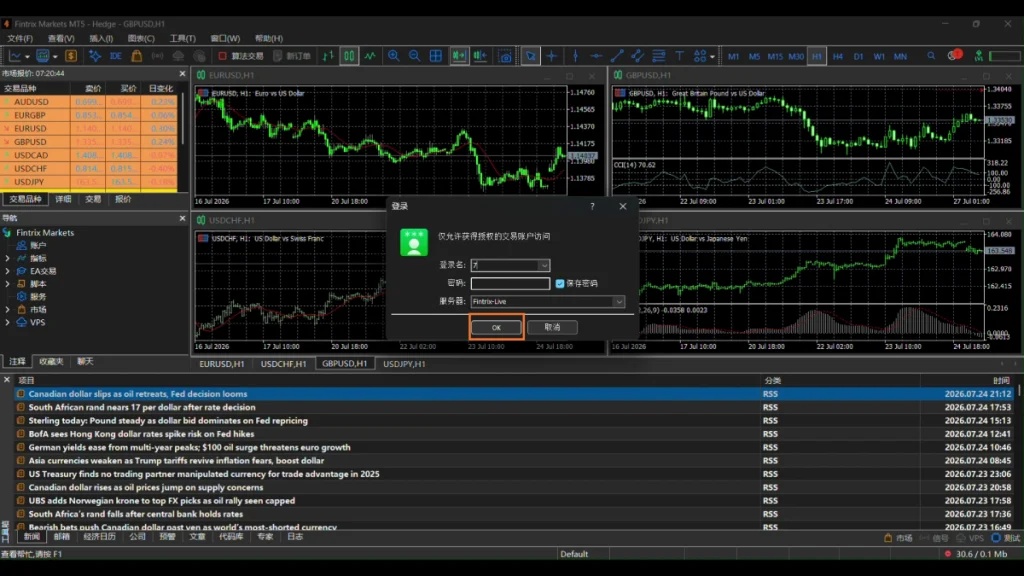
5. You’re connected
Once connected, you will see your account balance and trading environment.
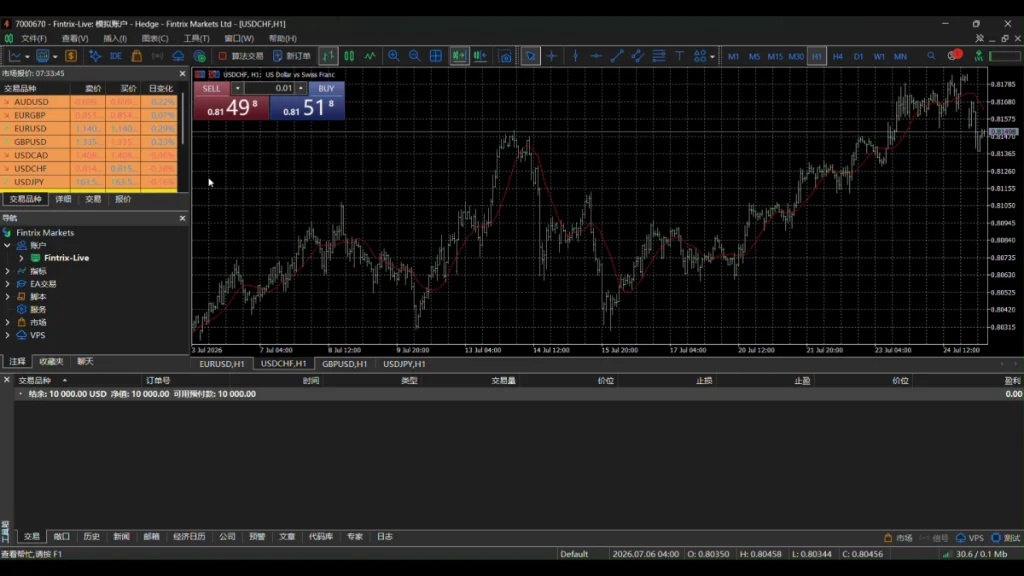
Ensure you select the correct server name exactly as provided.
MT4 and MT5 accounts are separate – use the correct platform credentials.
If login fails, double-check your details or reset your password via the Client Portal.
Log in to MT5 on mobile
If you’re using the MT5 mobile app, watch the video below to learn how to log in to your trading account and select the China trading server.
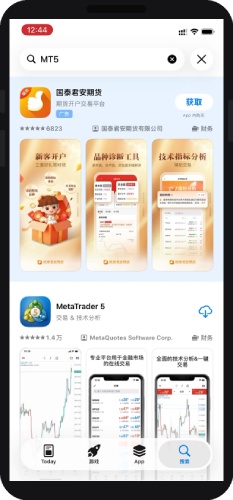
1. Search for MT5 in the App Store
Search for “MT5” in the App Store and select MetaTrader 5 from the results.
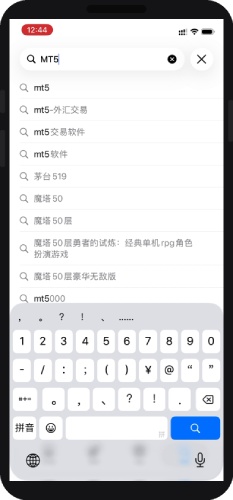
2. Open the app and accept the terms
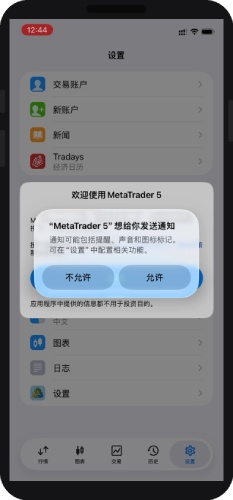
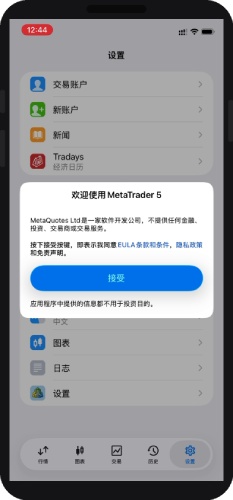
Open MetaTrader 5, allow notifications if prompted, then tap 接受 (Accept) to agree to the terms of use.
3. Search for your broker
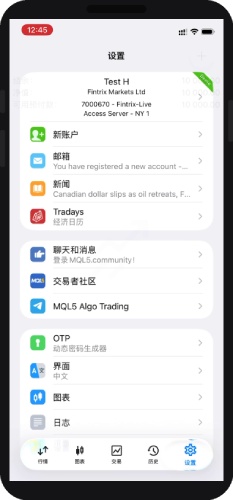
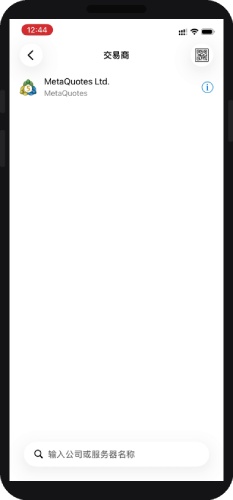
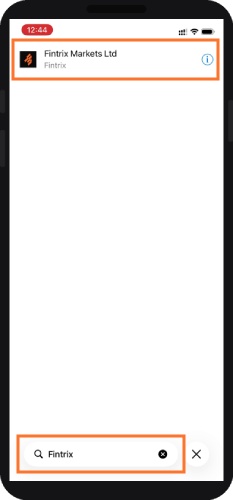
Go to Settings, then search for and select “Fintrix” to find Fintrix Markets Ltd.
4. Enter your login details
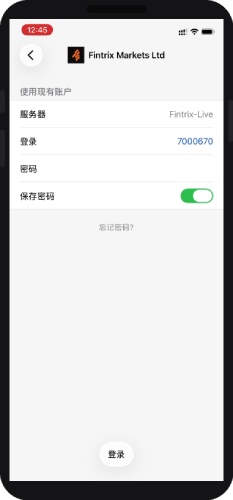
Select Fintrix Markets Ltd, confirm the Server (Fintrix-Live) and your Login, enter your Password, then tap 登录 (Login).
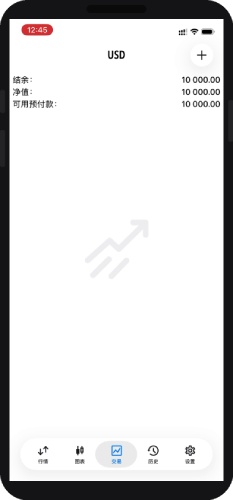
5. You’re logged in
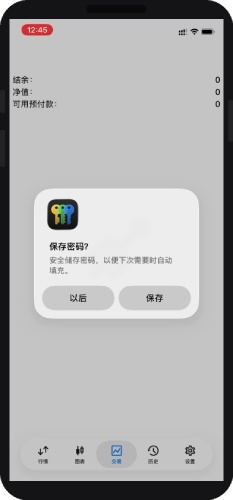
Once connected, your account details and balance will appear on the 交易 (Trade) tab.