
How to download MT5 for clients in China
- Published on 29 July 2026
- | Updated on 12 Aug 2026
- | 1 min read
This guide is intended for Fintrix Markets clients based in mainland China. It shows you how to download MetaTrader 5 (MT5) through Fintrix Hub using the correct download link, so you can get started with your trading account.
Recommended for China-based clients
For the best trading experience, we recommend using the desktop version of MT5 when connecting via the China trading server, as it offers a more stable and consistent connection.
Watch how to download MT5 through Fintrix Hub
Watch the video below for a step-by-step guide on downloading MetaTrader 5 (MT5) through Fintrix Hub.
1. Log in to the Client Portal
Log in to the Client Portal, navigate to the Trader Menu, and click “Downloads.”
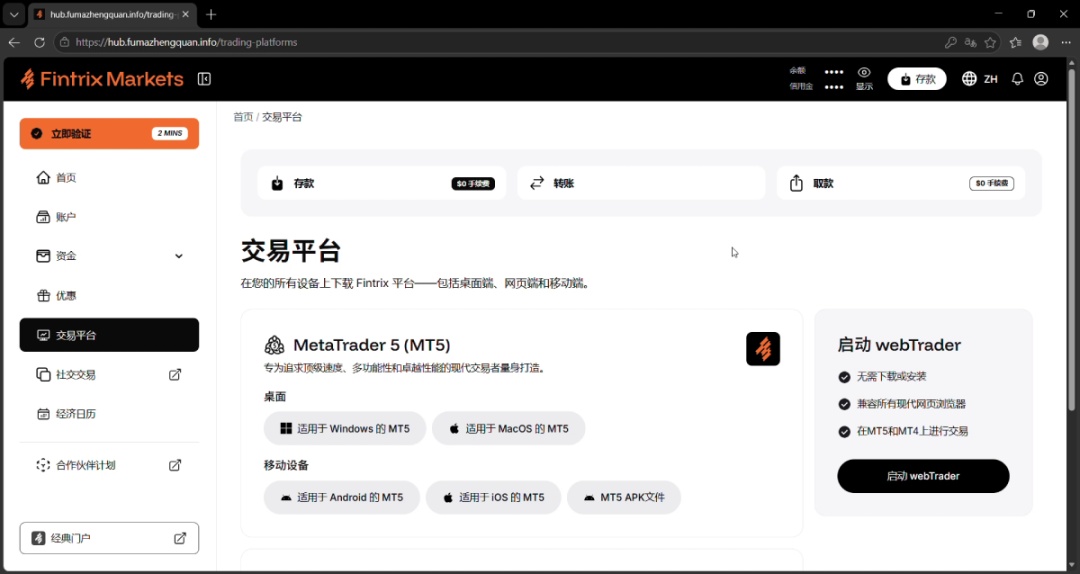
2. Select your platform version
Select MT5 according to the trading account you wish to use, then click “Download.”
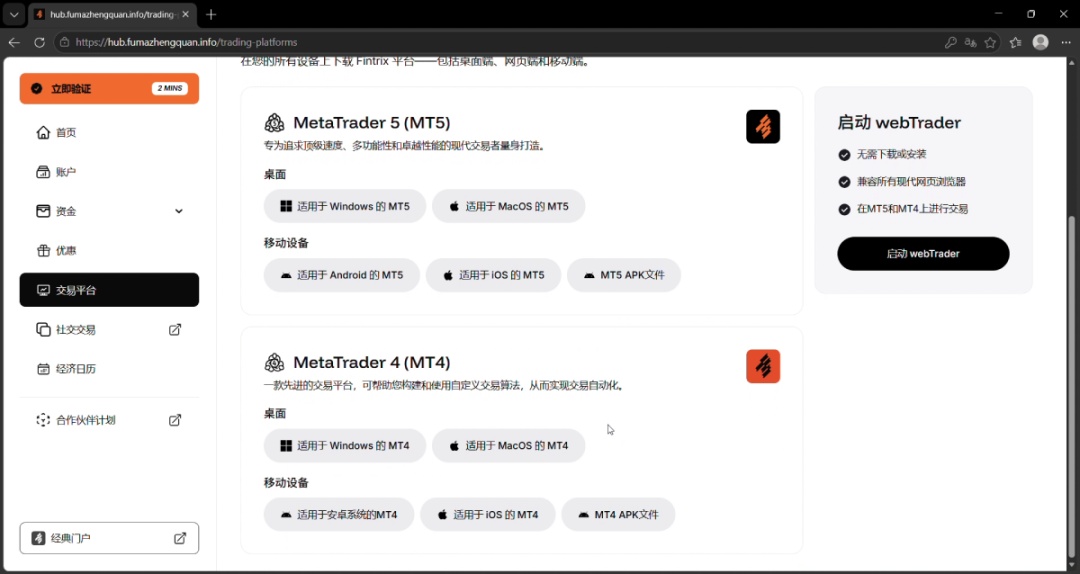
3. Save the installer file
Click “Save” to download the program to your computer or laptop.
4. Open the downloaded file
Once the download is complete, double-click the downloaded file to begin installation.
5. Begin the installation process
Click “Continue” to begin the installation process.